

Adobe Firefly is an autonomous web application of generative artificial intelligence, available in the Adobe Suite. It offers new ways to organize ideas, create and communicate, while improving creative work flows with the help of generative artificial intelligence. The web application facilitates the creation and customization of drawings and graphics, offering a wide range of tools and options.
Are you a creator looking for innovation? Do you want to organize your ideas, collaborate in a more efficient way and communicate your vision captivatingly? Discover Adobe Firefly, a revolutionary platform that combines artificial intelligence with creativity, transforming the way the project teams collaborate and give life to common ideas.
This graphic design tool is a significant leap in the evolution of creative tools, offering unlimited possibilities for designers, video publishers, web developers and more. By combining the power of generative artificial intelligence with an intuitive and accessible interface, Firefly democratizes creativity and allows anyone to transform their vision into reality.

A great advantage of Adobe Firefly is the safety for commercial use, which allows the use of designs generated for professional purposes. Firefly is trained on Adobe Stock Images, an open license and public domain content, which offers a rich source of inspiration and resources for the development of ideas.
Articulos que te pueden interesar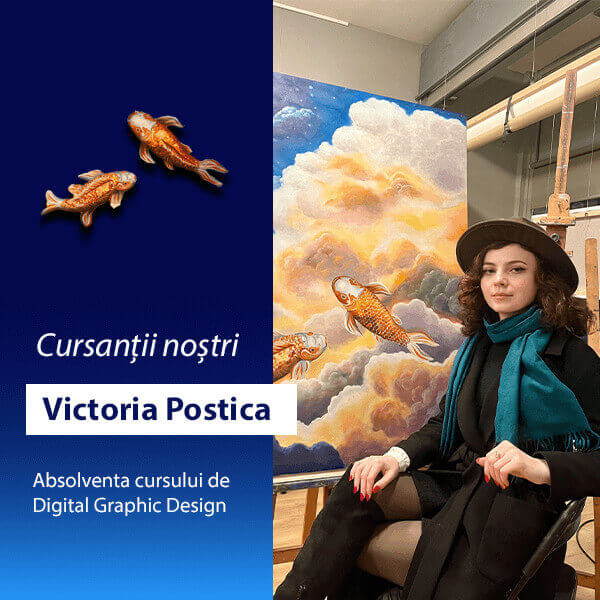 Our students. Graphic design portfolio: Postic Victoria
Here are the most common advantages that your platform offers you:
- Stimulation of creativity: Firefly allows the exploration of new creative possibilities and a rapid generation of visual concepts.
- Greater efficiency: The automation of activities and collaboration tools optimizes the workflow and reduces production times.
- High quality results: Generative technology provides impressive and personalized visual results.
ATTENTION: Wait impressive results only if you have introduced a detailed prompt (in English). The use of a detailed English prompt will provide the Lucciola at more information and context, allowing them to generate more precise and creative results.
Firefly is still in beta and is not fully optimized for all languages. The complete side of the glass is that Adobe works constantly to improve Firefly. It is possible that a better compatibility with the Romanian language can be added to future updates.
More detailed is the prompt, the more information must generate an image that corresponds to your vision.
Articulos que te pueden interesar The best software for a project manager in it
Result for a detailed English prompt
As you can see, a detailed prompt eliminates ambiguity. If you ask for «an IT course», the IA can interpret it in different ways: a photographic room, a group of students who learn, a PowerPoint presentation in this regard, etc. If you specify «a photo of an IT class with 10 students sitting on computers, listening to a teacher on board», the IA will have a much clearer image of what it must generate.
Main features
- Accessibility: The platform is easy to use and accessible for users with different levels of experience.
- Generation of visual content: Firefly uses the generation of artificial intelligence to create works of art, illustrations and to edit photos with precision and ease, based on simple text descriptions.
- Real collaboration: time: The platform facilitates collaboration in real time, allowing team members to share ideas, provide feedback pursue the progress of projects in a centralized environment.
- Optimized workflow: Firefly accelerates the creative workflow by automating repetitive activities and providing intuitive tools for modification and regulation.
- Various applications: The platform is suitable for a wide range of creative professionals, including graphic designers, digital artists, photographers and marketing experts.
Compatibility and integration
Adobe Firefly is a web application accessible on any device connected to the Internet, being compatible with most modern browsers (Google Chrome, Mozilla Firefox, Safari, Microsoft Edge).
Integrate:
- Adobe Photoshop: Firefly functions (generative filling, generative expansion) are originally from Photoshop, facilitating the addition, extension and elimination of the contents from the images.
- Adobe Creative Cloud: Firefly can be used independently of Creative Cloud and integrated in other Adobe applications (Illustrator, Express).
Common uses of the Adobe Firefly platform
Graphic design:
In the field of graphic design, it allows the rapid generation of unique models and graphics, eliminating creative blocks and offering a constant source of inspiration. The designers can explore new concepts and experience with different styles and models, without being limited by their technical skills. The platform offers a wide range of customization tools, such as forms, colors and text styles, which allow the adaptation of the models to the specific requirements of each project.
Example: a graphic designer can use Firefly to quickly generate a series of logos for a new company, exploring different combinations of colors, characters and graphic elements.
Photo edition and video:
In terms of photographic and video editing, Adobe Firefly can be used to improve the quality of images and videos, adding unique visual effects and regulating colors, brightness and contrast to obtain optimal results. Artificial intelligence behind the platform can automatically analyze the visual content and apply thin or dramatic improvements, depending on the user’s preferences.
Example: a photographer can use Firefly to automatically remove unwanted objects from a photo or to adjust colors and contrast to create a specific atmosphere.
Web and furniture prototyping:
The platform allows the exploration of different design models and the creation of interactive prototypes that simulate the experience of the end user. Firefly offers a wide range of prototyping tools, such as interface elements, animations and navigation flows, allowing developers to test and regulate the design before starting effective implementation.
Example: a mobile app developer can use Firefly to create an interactive prototype of a new application, testing several layouts and navigation flows to optimize the user’s experience.
What does Adobe Firefly offer in the video editing
Adobe Firefly still does not offer direct video editing tools, but its characteristics of the image and generation of text can be used to create visual elements and special effects that can be integrated later on video with dedicated video editing software.
Firefly can generate:
- Transitions: Unique and personalized among the scenes.
- Titles and subtitles: Creative and attractive.
- Graphic elements: Icons, logos or illustrations.
- Background: dynamic and personalized.
Is Adobe Firefly free for users?
Adobe Firefly offers both free and premium plan. On the one hand, Adobe Firefly allows access to a wide range of functions and tools to create and modify visual content with the help of artificial intelligence. On the other hand, the Premium plan offers further functions and advantages, such as more generative loans and access to a wider library of creative resources.
How to create an account on Adobe Firefly?
You have two options:
Existing adobe contabo:
- Insert firefly.adobe.com.
- Connect with the E -mail address and the password relating to the Adobe account.
New account:
- Enter the same connection (the one mentioned above).
- Click «Get Adobe Firefly Free».
- Follow the instructions to create a free Adobe account (a valid e -mail address is required).
After access:
- Explore the functions and create content in the Adobe Firefly web application.
- If you have a Creative Cloud subscription, you can access the Firefly functions integrated in Photoshop, Illustrator and Express.
Our conclusion?
Having said that, Firefly is announced to be a revolutionary tool that will basically change the way we create and experience digital art. If you are fascinated by this model you have and you want to learn how to use the tool to the maximum potential, we invite you to explore the graphic design-new Academy.
Within our curriculum dedicated to digital artists, you will have the opportunity to deepen your knowledge on the impressive Firefly functions, to learn advanced design and editing techniques and develop your creative skills in an interactive and supporting learning environment. Sign up now and find out a new world of possibilities!
latest posts published

Personal Branding or cult of personality?

6 Key SEO Steps Before Launching a New Website

Communicating during the financial crisis

11 good resolutions to give a boost to your 2019

It all starts with an idea

6 marketing and creativity books to read this year!

Content Marketing: Do You Really Have to Offer All Your Content?

Entrepreneurs and content marketing: 16 quotes to encourage you

9 tips to increase your blog audience!
