

Seababorn is a Python library used to create statistical, attractive and information graphics. The program offers a high -level interface for the creation of graphs using data within the Pandas data frame. Whether you are at the beginning of the road or that you already have some experience, Seababorn gives you all the tools necessary to make the information shine.
Are you tired of seeing boring graphics in the meetings? Time to change the sheet! In the digital age, the presentation of the data can be the key to success. Simple graphics are no longer sufficient; We all want opinions to attract attention and clearly transmit the message. With the help of Seababorn, you can create graphics that not only have a nice appearance, but also make the data easy to understand.
History Seaborn
Seababorn was created by Michael Waskom in 2010, as part of his doctoral project at the University of California, Irvine. Initially, Seababorn was created to be a set of high -level functions for Matplotlib, which will allow more attractive and information graphics for data analysis.
Over time, Seababorn has become an independent data display bookshop, with its functions and methods. Seababorn develops and improves constantly, with new functions and additions added in each version.
Articulos que te pueden interesar Python: language for beginners | Why learn Python?
Types of graphics in Seaborn
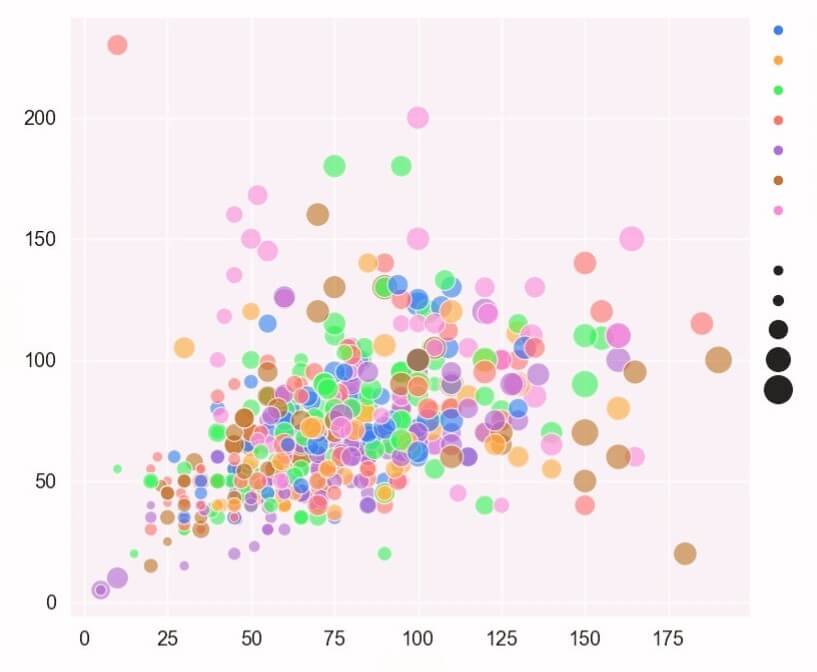
- Dispersion graphics: They are used to view the relationship between two continuous variables. These are useful for identifying the correlations between variables and identifying atypical data points. Seababorn offers functions to create dispersion graphics with a regression line and a trusted tape.
- Line diagrams: They are used to view data trends over time or based on another continuous variable. These are useful to view the growth or decrease in data over time and to identify the models. Seababorn offers functions to create lines with multi -line lines and add shadows to indicate the trusted interval.
- Bar diagrams and histograms: They are used to represent categorical data and continuous data, respectively. Bar diagrams are used to compare the values of a variable in different categories, while histograms are used to view the distribution of continuous data. Seababorn offers functions to create multi -bars bar graphs and add labels to indicate values. For histograms, Seababorn offers functions to adjust the number of strips and add a density of the adjustment curve.
- Diagram violin: They are used to view the distribution of continuous data. These are similar to histograms, but offer a more precise representation of data density. Violin diagrams combine a histogram with a density diagram. Seababorn offers functions to create violin diagrams with multiple violins and add labels to indicate values. These are the most used types of graphics in Seabran. Each diagram has its own characteristics and advantages so that you can choose the right type for your data.
How to personalize the graphs?
If you want to customize the graphs created with Seabran, you have a series of options to make them look exactly as you want. In this section, we will discuss some simple methods to customize the graphs.
Styles and palettes of colors
Seababorn is provided with some predefined styles to help you customize the appearance of your graphs. You can choose a particular style to make your graphs easier to read or to give them a more attractive appearance.
To change the style of a graph, you can use the function set_style () And you can choose from the following options:
- Darkgrid
- Whivterid
- dark
- white
- ticks
The library is also equipped with palette of predefined colors, which can be used to customize the colors of your graphs. You can choose from the predefined ones or you can create yours.
Articulos que te pueden interesar What is Java? | Newtech Academy
Adds tags and titles
To make the graphs more easy to understand, you can add labels and titles. The labels can be added to identify the graphic planks and the securities can be added to describe the graph as a whole.
To add labels to a graphic designer, you can use the functions Set_xLabel () AND Set_ylabel (). To add a chart to a graphic, you can use the function Set_Title ().
How to install and configure Seaborn?
To start using Seaborn, you need to install it and configure it on the system. There are several ways to do it, but the most common is the installation of Seaborn through the Python (Pypi) package index using PIP.
To install Seababorn, open the terminal and enter the following command:
Pip installs Seaborn
This command will install Seaborn and all its compulsory addictions. If you want to use advanced functions, there are some optional addictions that you can install by inserting the following order:
Pip installs Seaborn[stats]
Seababorn depends on other Python packages, such as number, Panda and Matplotlib. If these packages are not already installed on your PC, you need to install them before activating Seabran.
It is also possible to install Seaborn using Anaconda, which is a scientific data distribution platform. To do this, open the terminal and enter the following order:
Conda installs Seaborn
After installing Seababorn, you can start using it in your Python projects. To import Seaborn into a Python script, enter the following line line:
It matters Seaborn as SNS
For more information on the installation of Seaborn, you can consult the official documentation on the Seaborn website.
How to use Seaborn?
To use Seaborn in Python, follow these steps:
- Install Seababorn using Pip. Open a Jupyter notebook and run the command! Python -M Pip installs Seaborn in a new code of code.
- It matters Seaborn in your Python code using the Seaborn import as SNS. Usually, Matplotlib is also imported: matplotlib.pyplot import as PLT.
- Upload your data to a Pandas flondate. Seababorn works better with data data.
- Start exploring and integrating with other frames.
How to integrate Seabran with other libraries?
1. Integration with Food plotlib:
Seababorn is built on Matplotlib, so the integration is simple. You can use Seaborn to set the Matplotlib’s style style and add further features, such as the SeaBabian color palette.
- Implement Seaborn and uses its functions to create visual elements.
2. Pandas integration:
Pandas is a popular library for data analysis. Seababorn can be integrated with Panda to create complex visual elements that explore the relationships between variables.
- Upload both bookstores and uses functions to create visual elements, such as glass and relative graphs.
3. Integration with plotly:
Plotly is a library for the creation of interactive infographics. Seaborn’s integration will allow you to combine Seaborn’s power with the plotted interaction.
- It implements both libraries, create images with Seabran and adds interactivity with the plot.
If you need more support and you are curious to know how to integrate Seabran and other libraries as well as those mentioned above, we are here for you. Sign up for the data analyst course and discover the power of the tools that transform the disorganized data into legible and easy to understand information.
Our conclusion?
There are many tools to view the available data, but few can be compared with Seaborn. By perfectly integrating with the Panda and offering a wide range of visual styles, Seababorn releases you from the constraints of other tools.
With Seababorn, you are not limited to predetermined models, but you have the freedom to create personalized views that reflect the uniqueness of your data.
latest posts published

Personal Branding or cult of personality?

6 Key SEO Steps Before Launching a New Website

Communicating during the financial crisis

11 good resolutions to give a boost to your 2019

It all starts with an idea

6 marketing and creativity books to read this year!

Content Marketing: Do You Really Have to Offer All Your Content?

Entrepreneurs and content marketing: 16 quotes to encourage you

9 tips to increase your blog audience!
